Insect Identifier: AI Scanner1.1.1
Publisher Description

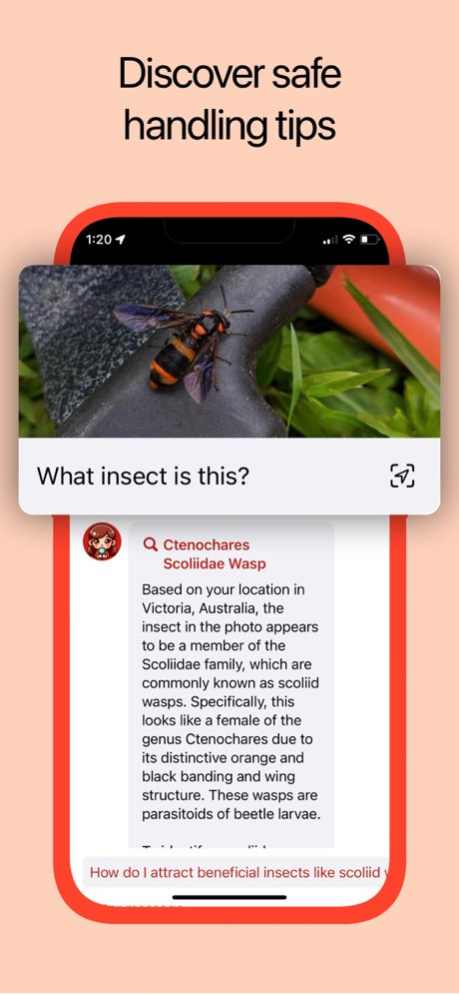

Unlock the mysteries of the insect world with "Insect Identification: AI Scanner," your pocket entomologist! Whether it's a buzzing bee, a crawling spider, or an unknown bug, our app makes insect identification effortless and educational.
AI-Powered Identification: Simply upload a photo or snap a new one. Our advanced AI instantly recognizes the insect, bug, spider, or butterfly, providing accurate species identification.
Location-Based Discovery: Integrating GPS, the app tailors its identification to your specific geographic area, enhancing accuracy and relevance.
Safety Information: Learn whether an insect is venomous or dangerous. Get tips on safe removal and handling, ensuring your outdoor adventures are safer.
Fascinating Facts: Each identification comes with interesting trivia about the species. Perfect for nature enthusiasts and curious minds!
Comprehensive Database: From common house spiders to rare butterflies, our extensive database covers a wide range of species.
Whether you're a hiker, a gardener, a student, or just curious about the creatures in your backyard, our app is a must-have tool. It's not only about identification but also about connecting with nature in a safe and informed way.
Explore the insect world with confidence and curiosity. Download "Insect Identification: AI Scanner" today and start your journey into the fascinating world of insects!
Version History This version of Insect Identifier: AI Scanner includes bug fixes and usability updates 1.1.1 06/19/2024 This version of Insect Identifier: AI Scanner includes bug fixes and usability updates 1.1 06/15/2024 1.0 12/28/2023
About Insect Identifier: AI Scanner
The company that develops Insect Identifier: AI Scanner is App All Day Pty Ltd. The latest version released by its developer is 1.1.1.
To install Insect Identifier: AI Scanner on your iOS device, just click the green Continue To App button above to start the installation process. The app is listed on our website since 2026-10-14 and was downloaded 0 times. We have already checked if the download link is safe, however for your own protection we recommend that you scan the downloaded app with your antivirus. Your antivirus may detect the Insect Identifier: AI Scanner as malware if the download link is broken.
How to install Insect Identifier: AI Scanner on your iOS device:
- Click on the Continue To App button on our website. This will redirect you to the App Store.
- Once the Insect Identifier: AI Scanner is shown in the iTunes listing of your iOS device, you can start its download and installation. Tap on the GET button to the right of the app to start downloading it.
- If you are not logged-in the iOS appstore app, you'll be prompted for your your Apple ID and/or password.
- After Insect Identifier: AI Scanner is downloaded, you'll see an INSTALL button to the right. Tap on it to start the actual installation of the iOS app.
- Once installation is finished you can tap on the OPEN button to start it. Its icon will also be added to your device home screen.
Program Details
System requirements
Download information
Pricing
Version History
version 1.1.1
posted on 2026-10-14
Version History This version of Insect Identifier: AI Scanner includes bug fixes and usability updates 1.1.1 06/19/2024 This version of Insect Identifier: AI Scanner includes bug fixes and usability updates 1.1 06/15/2024 1.0 12/28/2023
version 1.1.1
posted on 2024-06-19
This version of Insect Identifier: AI Scanner includes bug fixes and usability updates
